


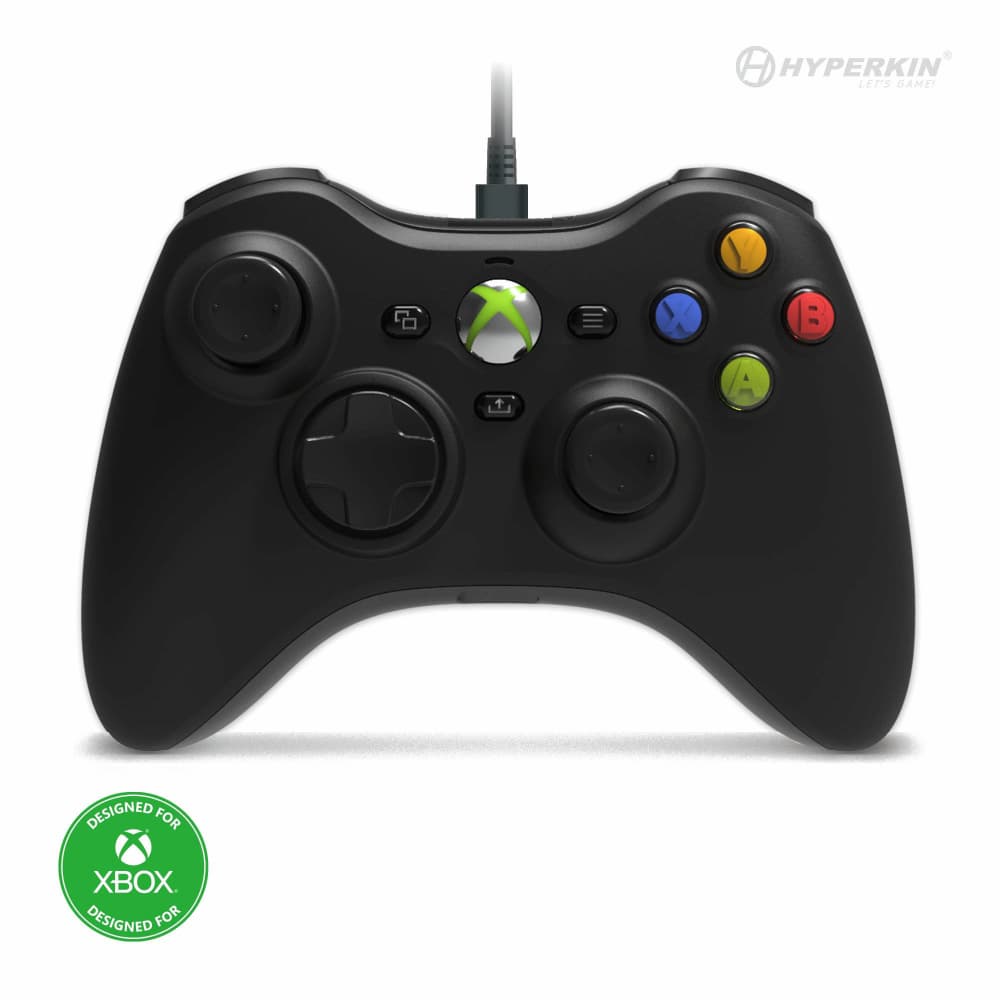

The Hyperkin Xenon wired controller does not connect directly to an original Xbox 360. It recreates that controller's style for Xbox Series X|S, Xbox One and Windows 10/11 PCs. If you are replacing a broken pad for a 360 console, this is the wrong purchase.
The phrase “Xbox 360 controller replica” refers to its familiar shape and layout. The connection is designed for newer Xbox consoles and supported Windows PCs.
Which systems does the Hyperkin Xenon support?
| Your system | Buying decision |
|---|---|
| Xbox Series X or Series S | Supported |
| Xbox One | Supported |
| Windows 10 or 11 PC | Supported; check your game's controller support too |
| Original Xbox 360 | Not directly compatible |
| Other platforms | Outside the official compatibility list; do not assume support |

Can it play Xbox 360 games on a newer Xbox?
Distinguish the game from the console running it. A supported older game running on an Xbox One or Series console is a different situation from plugging a controller into a physical Xbox 360.
Microsoft's backward-compatibility program includes selected older titles, not every game. Check whether the specific game runs on your newer console before buying. A new controller does not add a missing game to that catalog or make an unsupported disc playable.
For a gift, ask “Which console will you plug it into?” rather than “Do you like Xbox 360 games?” Those answers can point to different purchases.
Is the Xenon wireless?
No. This is a wired controller. It comes with a detachable 10-foot USB-C cable, along with a Share button and a 3.5mm headset jack. Detachable means the cable can be removed; it does not mean the controller switches to wireless play.
Before buying for a living room, measure the actual cable route from the console to your seat. Allow slack around furniture and avoid a path people walk through. If a cable across that route would be inconvenient, choose a controller designed for wireless use instead.

A short checklist before ordering
- Write down the exact system. Use its model name, not just “Xbox.” This is especially useful when ordering for someone else.
- Decide whether you want a replacement or a familiar shape. Replacing an original 360 pad requires a controller explicitly made for that console. Wanting that shape on supported newer hardware is the Xenon's use case.
- Check your desk or seating arrangement. Plan the wired connection before deciding that a color or design makes it the right fit.
- Confirm the selected variant. Gallery photos show multiple colors, including colors that may be sold out. Use the product's current availability selector.
If those checks match your setup, view the Hyperkin Xenon wired controller.